Selecting and Downloading Language Models
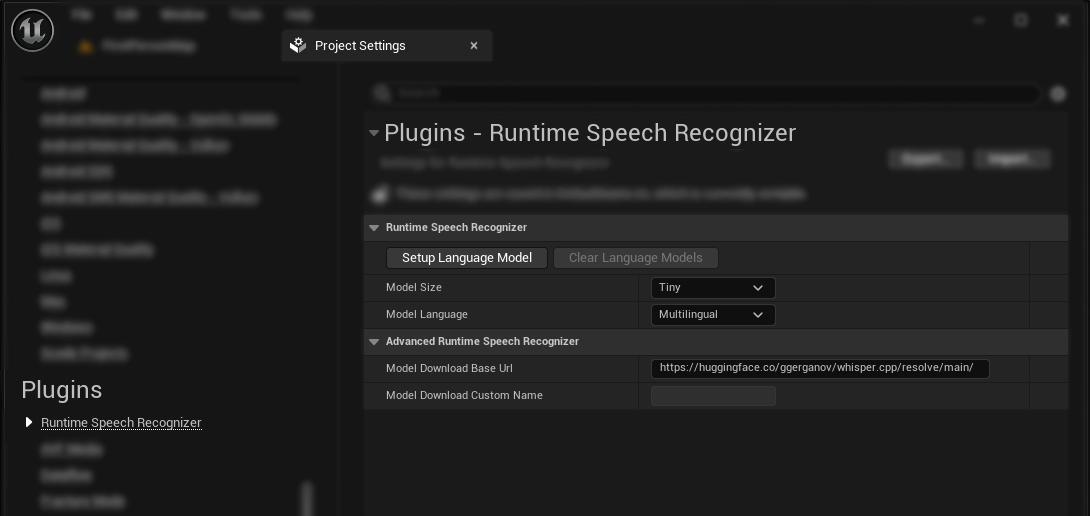
Currently, the plugin is designed to support a single language model, selected in the editor beforehand, to be packaged and used with the project. Follow these steps to select, download, and stage a specific language model:
-
Choose the desired model from the available options. The plugin supports the following models out of the box:
Standard Models:
- Tiny
- Base
- Small
- Medium
- Large V1
- Large V2
- Large V3
- Large V3 Turbo
Quantized Models (reduced file size):
- Tiny Quantized (Q5_1) - Quantization to 5 bits and 1 decimal point
- Tiny Quantized (Q8_0) - Quantization to 8 bits and 0 decimal points
- Base Quantized (Q5_1) - Quantization to 5 bits and 1 decimal point
- Small Quantized (Q5_1) - Quantization to 5 bits and 1 decimal point
- Medium Quantized (Q5_0) - Quantization to 5 bits and 0 decimal points
- Large V2 Quantized (Q5_0) - Quantization to 5 bits and 0 decimal points
- Large V3 Quantized (Q5_0) - Quantization to 5 bits and 0 decimal points
- Large V3 Turbo Quantized (Q5_0) - Quantization to 5 bits and 0 decimal points
Distilled Models:
- Distil Small - Distilled version of the Small model
- Distil Medium - Distilled version of the Medium model
- Distil Large V2 - Distilled version of the Large V2 model
- Distil Large V3 - Distilled version of the Large V3 model
Custom Model:
- Custom - Specify a custom model name and URL to download your own language model from a server
Each model (except Custom) can be configured as either Multilingual or English-only.
-
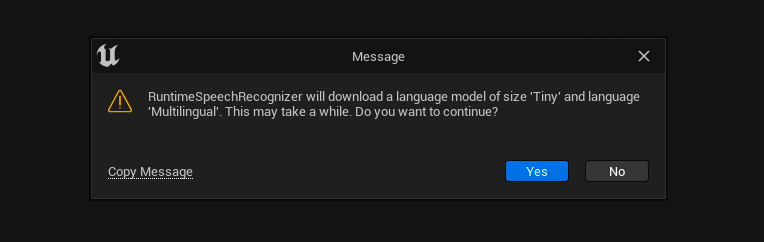
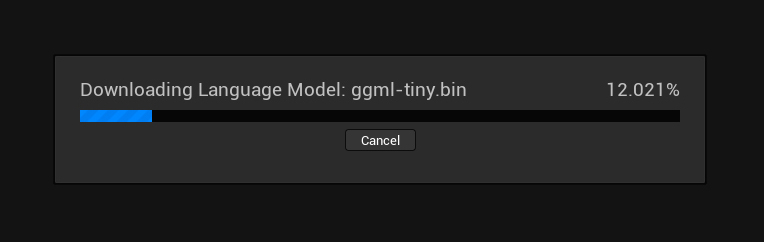
Click on the Setup Language Model button, which will ask you to download the selected language model automatically if it is not already present on your local machine.
-
After the download is complete, the Editor will generate a language model asset located at "Plugins/RuntimeSpeechRecognizer/Content/LanguageModels/LanguageModel.uasset". This language model asset will be the only one packaged with your project.
You can also remove any locally downloaded language models by clicking on the Clear Language Models button.
Alternatively, you can manually download and place language models only from https://huggingface.co/ggerganov/whisper.cpp into the "Plugins/RuntimeSpeechRecognizer/Content" folder.
Note that only the selected language model will be packaged with your project. Therefore, you don't need to worry about the other models as they will be excluded during the packaging phase.